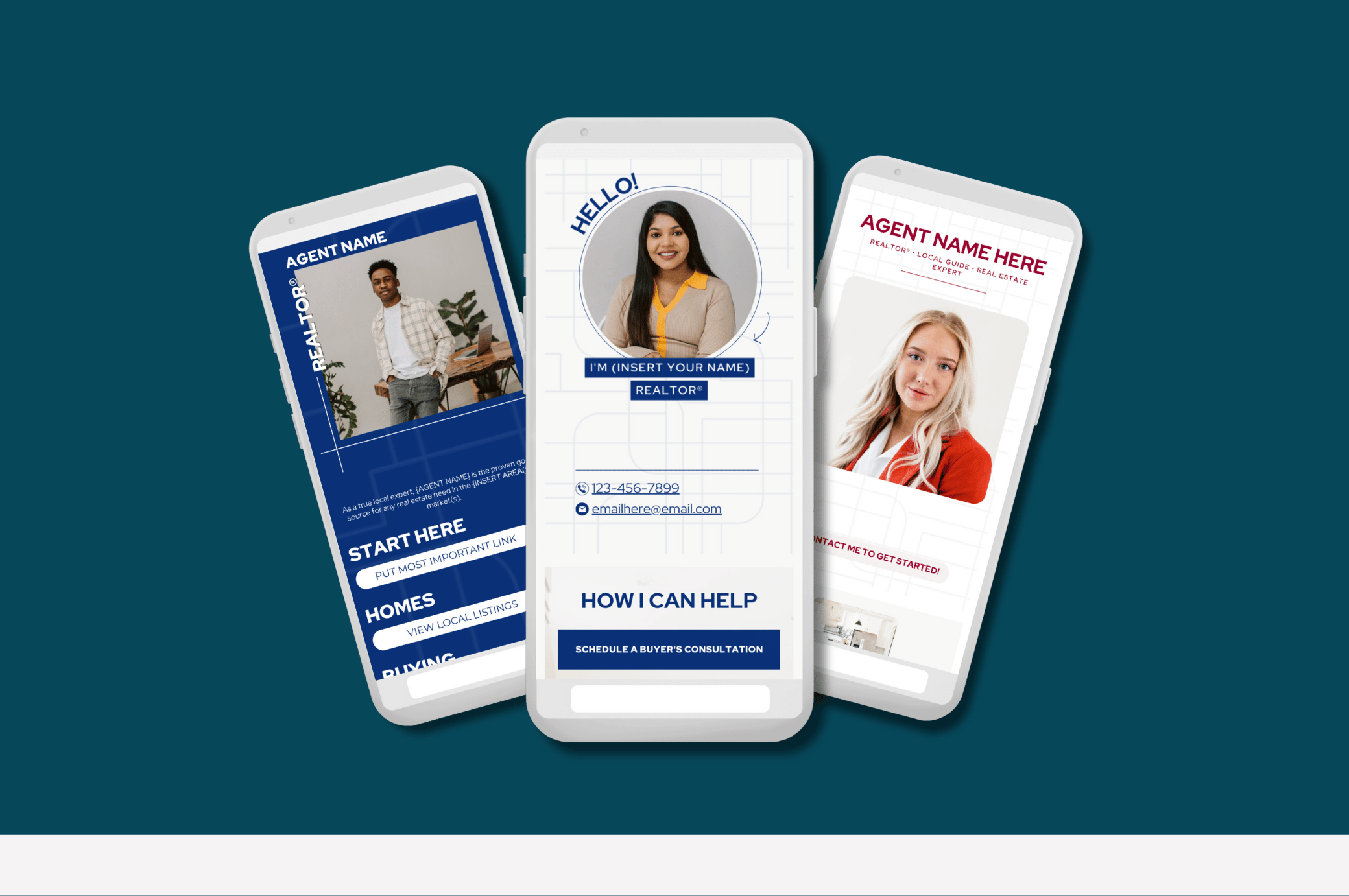
TEMPLATE OPTION 1:
TEMPLATE OPTION 2:
TEMPLATE OPTION 3:
Leveraging In Your Marketing:
Often referred to as a ‘Link in Bio’ this link leads to a short page with easy-to-access links, letting visitors know who you are, what you do, and how you can help them with their real estate needs. You’ll use it in your social media bios and can also send to people directly.
Choose from 3 different template options you can easily edit, publish, and start using in your marketing! Use the template that best matches your branding, and click the button below to access the template, edit, and start using.
Inside The Canva Document, You’ll Find:
3 link-in-Bio templates you can easily edit and share
Host your page and generate your URL link for free using Canva to direct visitors to your unique website page
How to Use:
Select the template option you’d like to use for your Link in Bio
Customize with your own images and text.
To make your buttons clickable: Use the keyboard shortcut Command+K on MAC or Cntrl+K on Windows > Paste in your link and hit enter
To make your contact information clickable: Highlight the email or phone number text and use the keyboard shortcut Command+K on MAC or Cntrl+K on Windows > insert your phone number or email address, and Canva will automatically convert the info to be clickable
To publish your website:
Click the ‘Publish Website’ button in the top right
Select ‘Resize on Mobile’ and ‘Without Navigation’ for the top two options
Use the ‘free domain’ option for a Canva provided link (you’ll also see the option to connect to another domain if you’d like) > click continue
Edit the URL and page description if you’d like
Click Publish
You can now use the link provided and add it to your Instagram bio
When putting your Link in Bio URL in your Instagram bio:
Be sure to copy and paste your URL exactly as it’s provided from Canva, using https:// and not www. at the beginning of the URL or you’ll get an error message in Instagram when opening the link
FAQs
I have a different website, should I use this instead? Even if you have an existing website, you can use this template as an easy-to-use link for your Instagram. You’re also welcome to replicate this layout and information on a page if your website if you’d prefer!
What if I don’t have some of this information or want to highlight something different? You can delete or edit any of the buttons on the page to customize for you and your needs.
How do I add links to the buttons? Click on any button or text you’d like to hyperlink > Use the keyboard shortcut Command+K on MAC or Cntrl+K on Windows > Paste in your link and hit enter
More Website Templates You Might Like -